Assign, resolve, and reopen
Give a conversation to a teammate, close it when it is done, and open it again.
The controls are at the top of a conversation opened next to the list, and on the right of the full page.
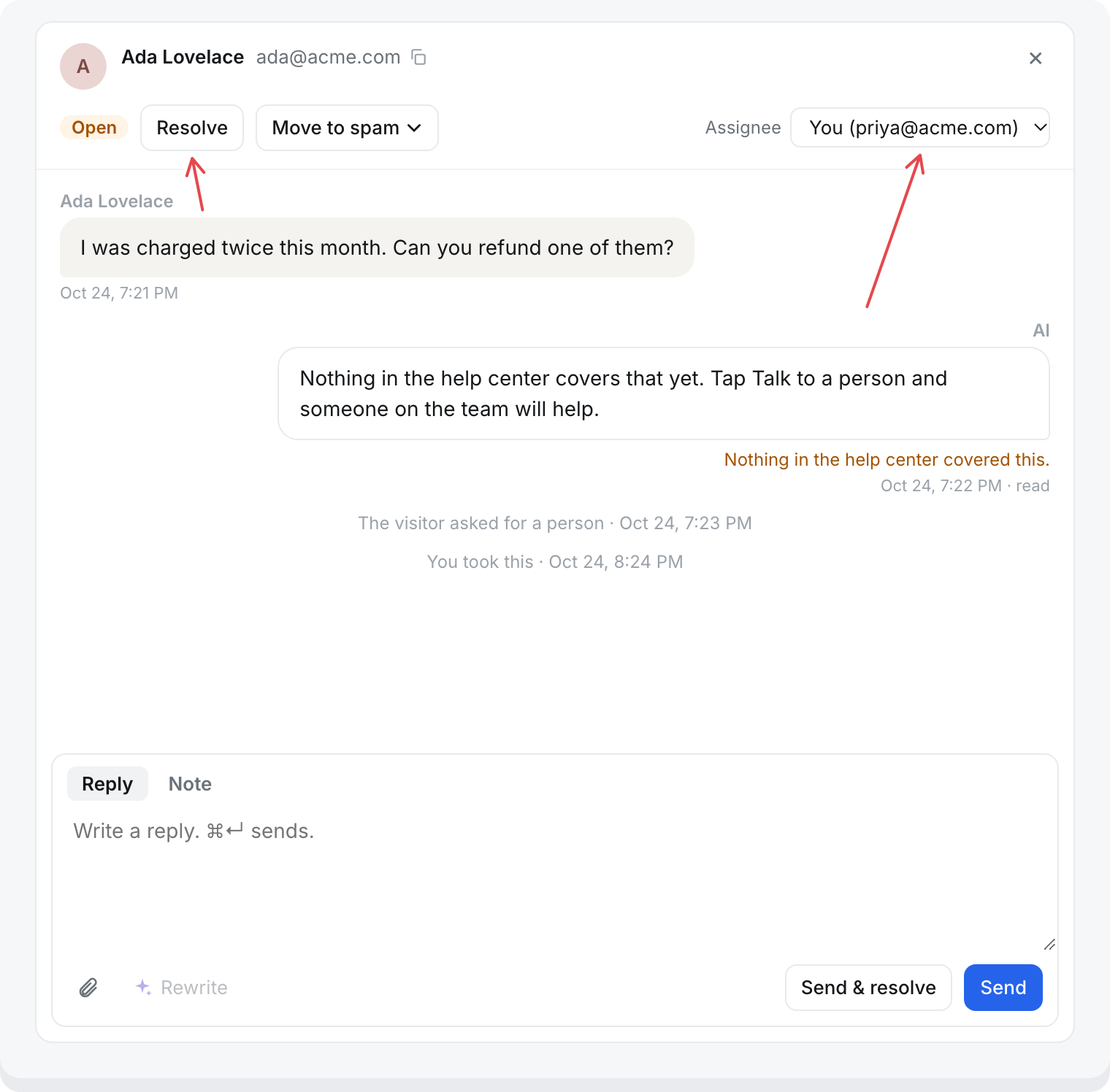
Assign
Open the Assignee menu and pick a teammate, yourself, or Unassigned. Next to the list, it saves as soon as you pick. On the full page, select Save.
The transcript notes each change, like "Priya took this", "Priya assigned this to Sam", or "Priya unassigned this".
Assigning decides who gets emailed about new messages:
- Assigned: only the assignee.
- Unassigned: everyone on the team who has email alerts on.
See Inbox notifications.
When you reply to an unassigned conversation, it is assigned to you.
Mine under Conversations lists what is assigned to you and is open or waiting on the visitor.
Resolve
Select Resolve, or Send & resolve when you reply.
- The status becomes Resolved.
- In the messenger, the visitor sees: "This conversation was marked resolved. Write here if you need anything else."
- Your team is not emailed about it again unless the visitor writes back.
A conversation the AI still has
On a conversation under With the AI, Resolve marks it as looked at and leaves it with the AI. It moves to Resolved under With the AI.
- Nothing changes for the visitor: no message in the messenger, and no email.
- It is not assigned or handed to your team.
- If the visitor writes again, the AI answers and the conversation is Ongoing again.
To answer the visitor yourself, reply instead. That takes the conversation over. See Find a conversation.
Reopen
Select Reopen on a resolved conversation. It goes back to Open.
When the visitor writes back
A new message from the visitor reopens a Resolved or Waiting on visitor conversation as Open. It keeps its assignee.
A conversation in Spam does not reopen. See Spam and blocking.
Waiting on visitor
You cannot choose this status. A conversation gets it when your team replies, and leaves it when the visitor writes back or someone resolves it.
Hand it back to the AI
You cannot. Once your team has a conversation, it stays with your team, even after it is resolved. A visitor who wants the AI again starts a new conversation in the messenger.