Spam and blocking
Move a conversation to spam, block the sender, delete a conversation, or bring one back.
Open the conversation, then the Move to spam menu at the top. It has two choices. Each asks you to confirm first.
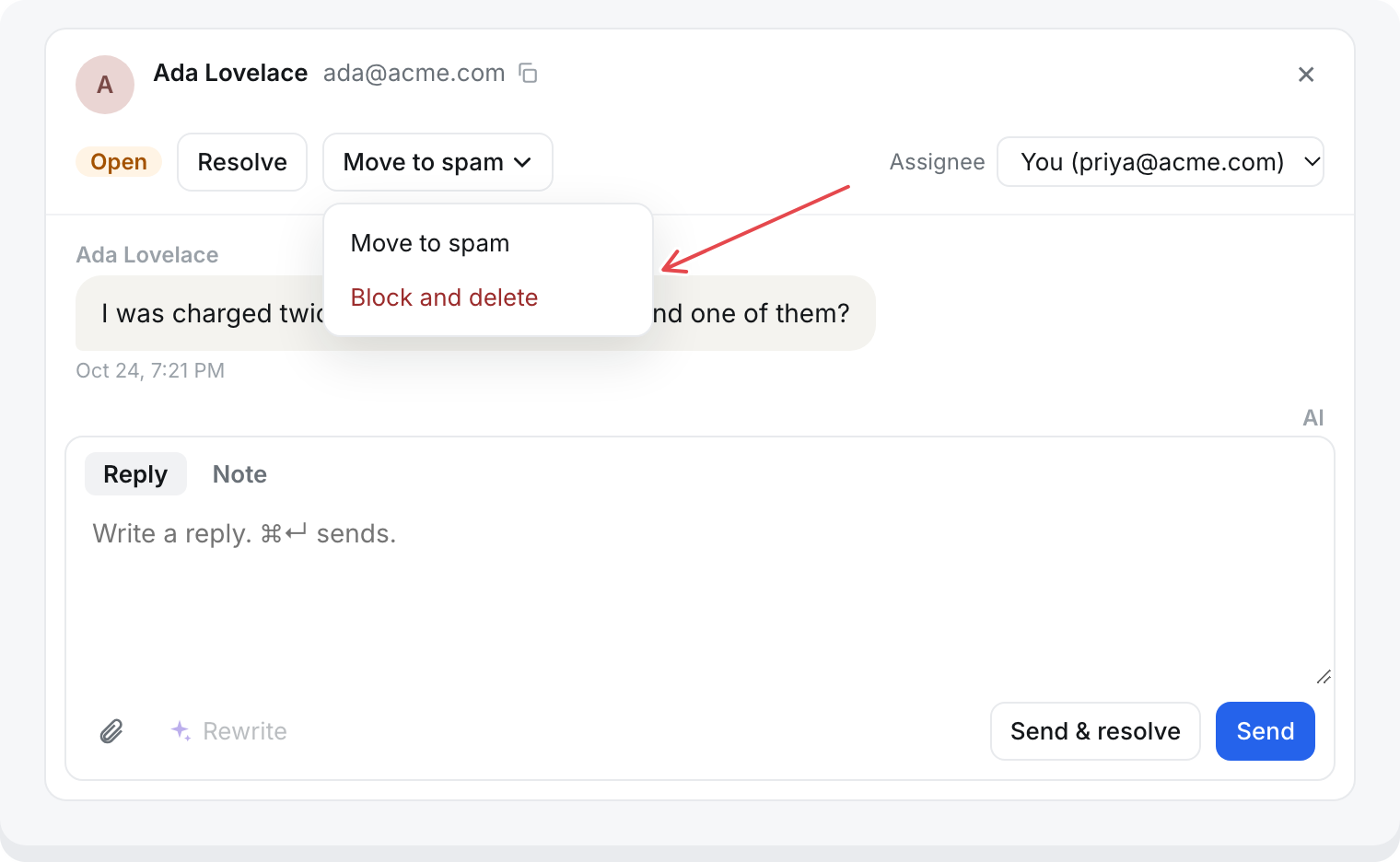
Move to spam
The conversation goes to Spam and the sender is blocked.
- Every other conversation from the same email address or browser moves to Spam too.
- Blocked people cannot reach your team again. In the messenger, Talk to a person tells them "The team can't take this right now." Their emails do not reopen anything.
- The reply box is hidden in a spam conversation.
What is blocked:
- The email address on the conversation, whether verified or typed by the visitor.
- The browser they used.
With no email on the conversation, only that browser is blocked.
Block and delete
Blocks the sender as above, and permanently deletes this conversation. It cannot be undone.
Only this conversation is deleted. Their other conversations stay in Spam.
This is the only way to delete a conversation. There is no bulk delete, and conversations are not deleted automatically after any period of time.
Bring one back
Open the conversation under Conversations, then Spam. Open the Spam menu and choose Not spam. The sender is unblocked and can reach your team again.
Who can do this
Anyone in the workspace.