Identify signed-in users
Tell the messenger who is signed in, and sign it on your server so it shows as verified.
When someone is signed in to your app, tell the messenger who they are. Their name, email, and picture then show on their conversations in the inbox. They can ask for a person without typing an email, and see their past conversations on any device.
Name the user
Call identify once you know who is signed in. It works before or after the messenger has loaded.
chatSh.identify({
  userId: "u_123",
  email: "ada@acme.com",
  name: "Ada Lovelace",
  avatarUrl: "https://acme.com/avatars/ada.png",
  userHash: "…" // see below
});
| Field | Rules |
|---|---|
userId |
Your own ID for the user. Up to 200 characters. |
email |
A valid address. Stored in lower case. |
name |
Up to 120 characters. |
avatarUrl |
Must start with https://. |
userHash |
The signature, 64 hex characters. |
Pass at least userId or email. With neither, the visitor stays anonymous. A field you leave out keeps the value you sent before.
You can also set the same fields in window.chatShSettings before the tag. See Messenger JavaScript API.
Verify who they are
Anyone can type chatSh.identify(...) into a browser console, so a name on its own is only a claim. In the inbox it shows as Unverified. Sign the user on your server, and it shows as Verified.
- Open Messenger, then Install, and find Verify who they are.
- Select Create a secret. Copy it.
- Store it on your server, for example as
CHATSH_IDENTITY_SECRET. Never put it in the page or your front-end code. - On your server, make
userHash: HMAC-SHA256 of the user ID, with the secret as the key, in hex. With no user ID, sign the email instead, exactly as you pass it. - Pass
userHashto the page and on toidentify.
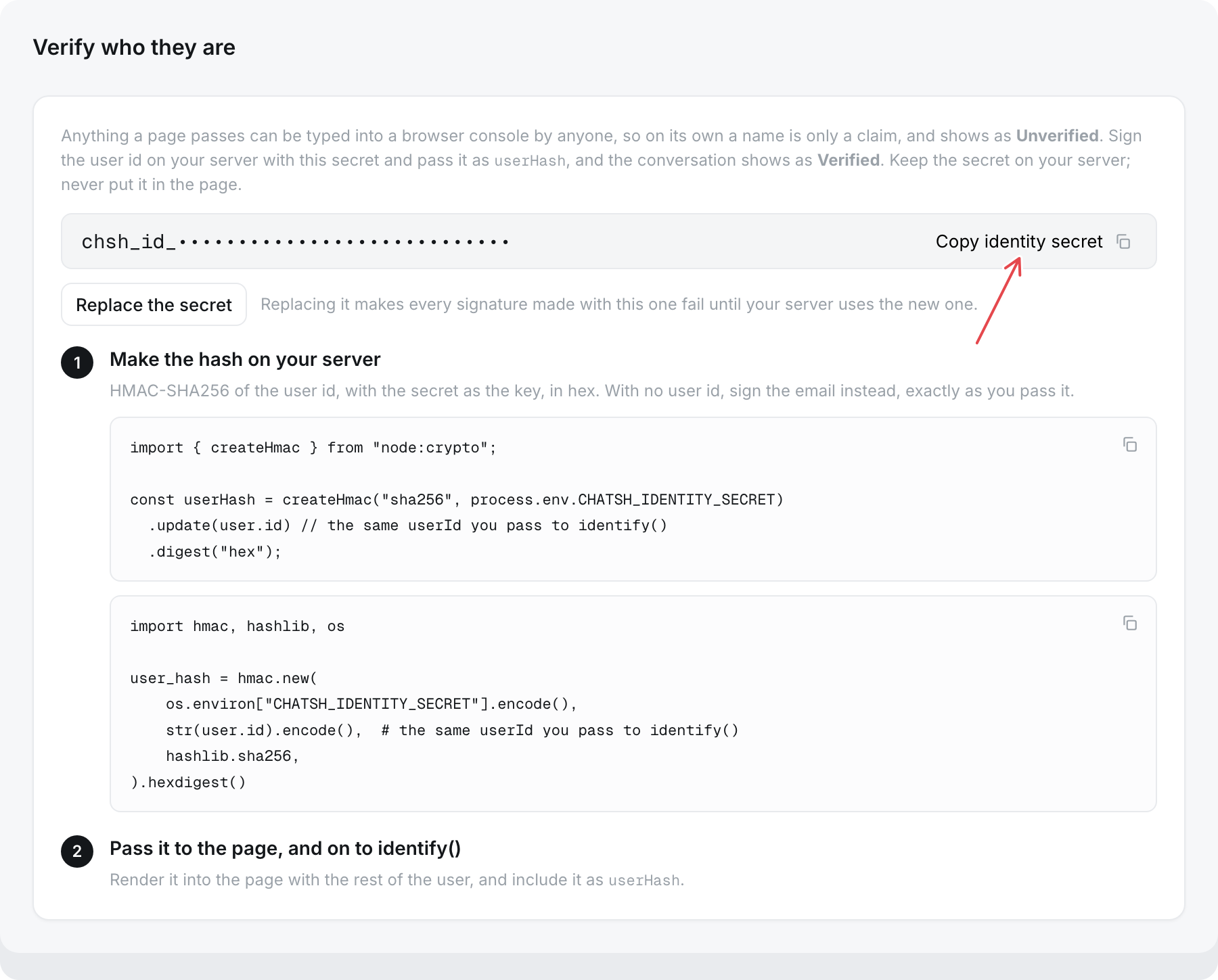
Node:
import crypto from "node:crypto";

const userHash = crypto
  .createHmac("sha256", process.env.CHATSH_IDENTITY_SECRET)
  .update(user.id)
  .digest("hex");
Python:
import hmac, hashlib, os

user_hash = hmac.new(
    os.environ["CHATSH_IDENTITY_SECRET"].encode(),
    user.id.encode(),
    hashlib.sha256,
).hexdigest()
Only an owner can create or replace the secret. Members see that verification is on, but not the secret.
Until a secret exists, every named user shows as unverified.
What verification changes
- The conversation shows Verified in the inbox.
- Verified customers are marked Urgent in the inbox while they wait on your team. See Find a conversation.
- Their conversations follow them to any device and browser, up to their last 20.
- When they tap Talk to a person, they are not asked for an email.
An unverified user who passed an email is also handed over without the form, using that email.
Replace the secret
Select Replace the secret. Signatures made with the old secret stop working at once, so update your server straight away. Until it signs with the new secret, users show as unverified and cannot open their conversations from other devices.
Sign-out
Call chatSh.reset() when the user signs out. It forgets them, clears this browser's list of their conversations, and starts a fresh conversation. If a different user is identified in the same browser, they get a fresh conversation too.